Back
TikTok’s Smart+ Creative helps you test more videos, reduce costs, and find the best-performing ads automatically.
Jan 7, 2026
TikTok Ads

Creative matters more than ever on TikTok. Your creative quantity increases visibility, while creative quality drives real engagement.
TikTok’s Smart+ Creative helps you test more videos, reduce costs, and find the best-performing ads automatically. Here’s a simple guide to help you use it effectively.
About Smart+ creative and how creative combinations work
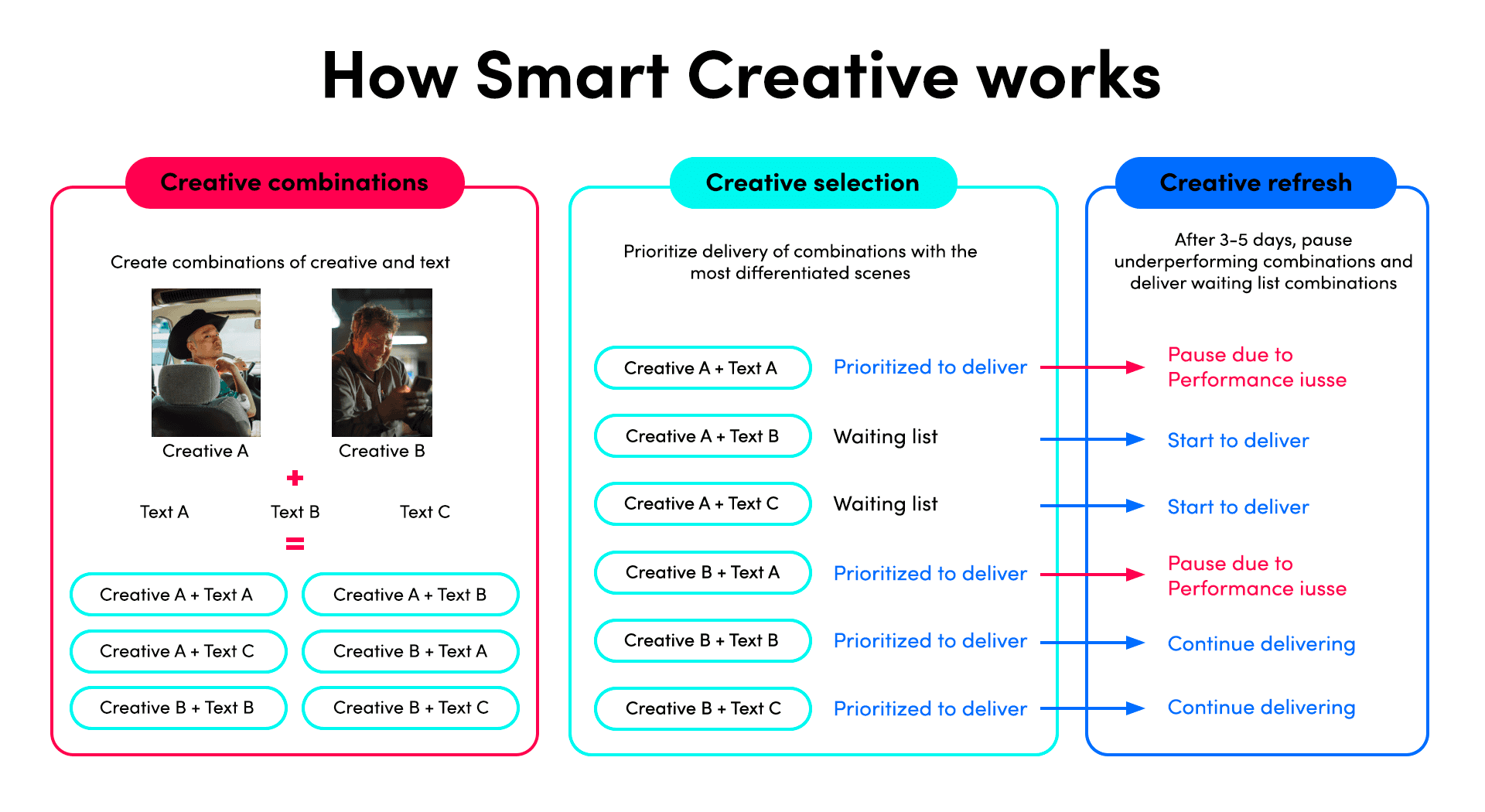
Smart+ Creative is TikTok’s system that tests your creatives for you. You upload your assets, and TikTok figures out which combinations work best.
How Smart+ works:
Step 1: Upload your videos, images, and text
Step 2: TikTok mixes them into different creative combinations and starts testing them
Step 3: TikTok delivers the right ones to the right audience and spends more on the ones that perform best
This saves time and helps you get better results.
Prioritize creative quality over manual targeting
With Smart+, you don’t control targeting as much, so your creative quality becomes even more important.
Ensure you feed Smart+ high-quality, TikTok-optimized creative:
Strong hook in the first 2–3 seconds
Feels natural and native to TikTok
Uses clear messaging and a simple CTA
Entertaining, relatable, or story-driven
Add creatives from the last 28 days that:
Have 10+ conversions
Have a CPA <= average daily creative in your account
Good inputs = good results.
Use variety and volume to combat creative fatigue
TikTok ads burn out quickly. That’s why you need variety and volume. The more, the better!
How many creatives to add:
Start with 4-6 videos
Add 2–5 more when ad budget increases or observe creative fatigue in your campaign
Signs of creative fatigue:
CTR goes down
CPA goes up
Frequency gets too high
Monitor performance closely – if a creative’s results start declining or it’s been seen by a large share of the audience, refresh it.
Smart+ Creative: Getting started and maintaining
Starting Smart+
Upload 6+ creatives (The more, the better!)
Use outperforming creatives from past 28 days:
>=10 conversions
<= avg daily creative CPA in your account
Maintaining Smart+
Add 2–5 new creatives regularly to support new ads generation
Increase budget as you add more creatives
Check performance improvement after 3 days
Consider pausing instead of deleting bad creatives so you keep the data
Scaling Smart+
Refresh creatives weekly (3–5 new ones)
Consider new headlines and/or interactive add-ons
The key is keeping your creative supply fresh.
Leverage creative tools for efficiency - Pody AI from Ecomdy Media
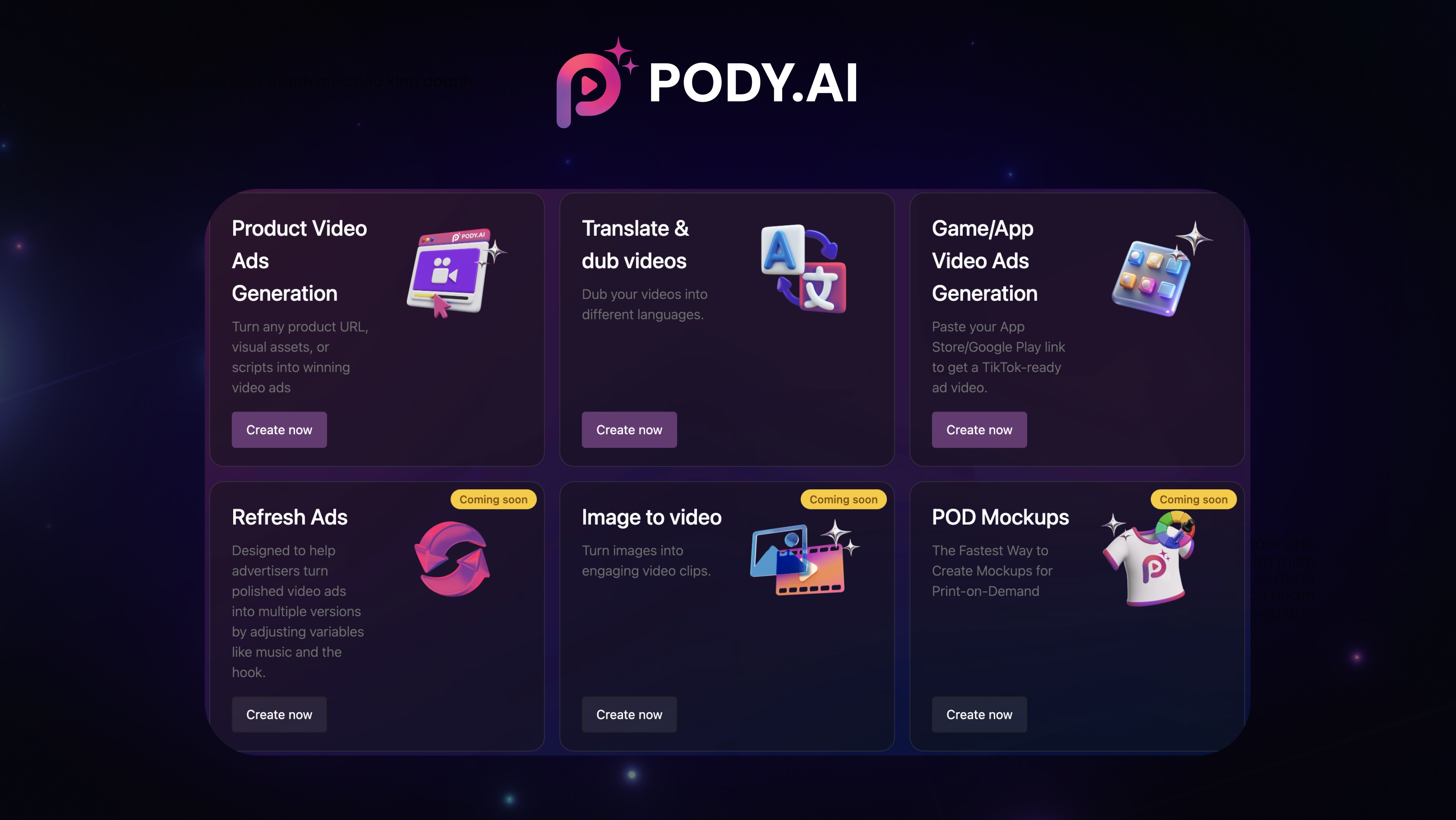
Pody is an AI-powered creative tool developed by Ecomdy, enabling users to quickly generate a variety of engaging TikTok-ready videos from images, descriptions, product links, or existing videos.
What Pody helps you do:
AI Video Generation: Instantly transform product links, images, and scripts into engaging videos.
Translate & Dub Video: Add natural-sounding voiceovers in multiple languages. This allows you to create multiple localized versions of the same video without re-shooting anything.
→ Pody makes content creation faster, cheaper, and more efficient - helping you keep a steady supply of fresh creatives for better ad performance.
👉 Try now: https://app.pody.ai/
This guide is a clear breakdown of the best practices for Smart+ Creative. By focusing on creative quality, keeping a steady flow of fresh assets, and using tools like Pody AI, you’ll give Smart+ everything it needs to test, optimize, and scale your TikTok ads effectively.